
ITpipes and OpenGov Integration
When it’s in ITpipes, it’s in OpenGov.
Real Integration. Not a Workaround.
ITpipes is the only sewer pipe inspection solution with a true bi-directional integration with OpenGov EAM. While competitors rely on manual data imports and exports, ITpipes automatically syncs inspection planning, prioritization, and asset data to OpenGov AMS in real time.
Watch to learn how the City of Lakewood, Colorado utilizes this integration to drive efficiency and impact for their team!
Access to Inspections for all OpenGov Users
ITpipes Inspection Viewer launches directly from OpenGov, providing full access to inspection data, videos, and reports, enabling staff, asset managers, and inspectors to obtain actionable intelligence on demand.
Work Orders and Sync
Work Orders assigned in OpenGov populate in a to-do list that displays in FieldVision, including task IDs, asset attributes, and inspection details.
Auto Sync Complete Inspections
Complete inspections in FieldVision upload to CoreVision as well as OpenGov. Additionally, ITpipes automatically calculates OpenGov’s Overall Condition Index (OCI) during inspections.
Easily Handle Emergency / Unplanned Work
Use the Esri map in FieldVison to create emergency or unplanned work live in the field. Once completed, ITpipes not only syncs all the inspection data but automatically creates the work order in OpenGov.
Reschedule Work, Stay Organized
While in the field, inspectors can take on work scheduled for other crews to complete. Sync tracks and finalizes this work, uploading and auto adjusting data inside OpenGov.
Schedule a
Live Demo Today!
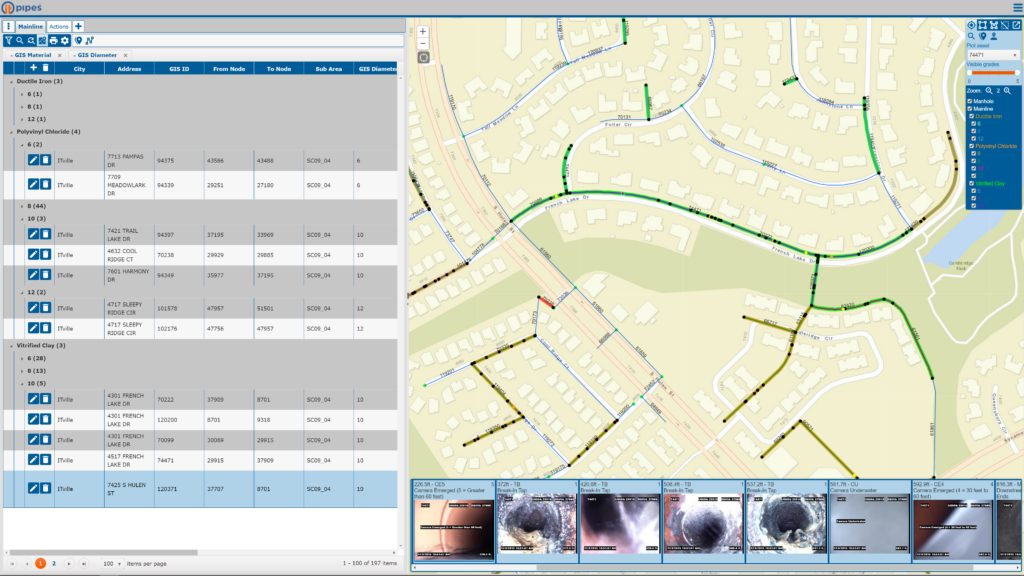
If updating your GIS attribute data with new information takes days or never gets done, check this out! ITpipes tools provide attribute data discrepancy review in seconds. And preferred updates can be applied in minutes, ensuring your GIS and OpenGov have the latest up-to-date asset information! (Only for users with Esri user permissions for editing.)
Easily manage spatial adjustments by performing the survey, updating the GIS, and adjusting asset IDs. Information connects between both systems and is available to all users!